Working time, recorded as it happens.
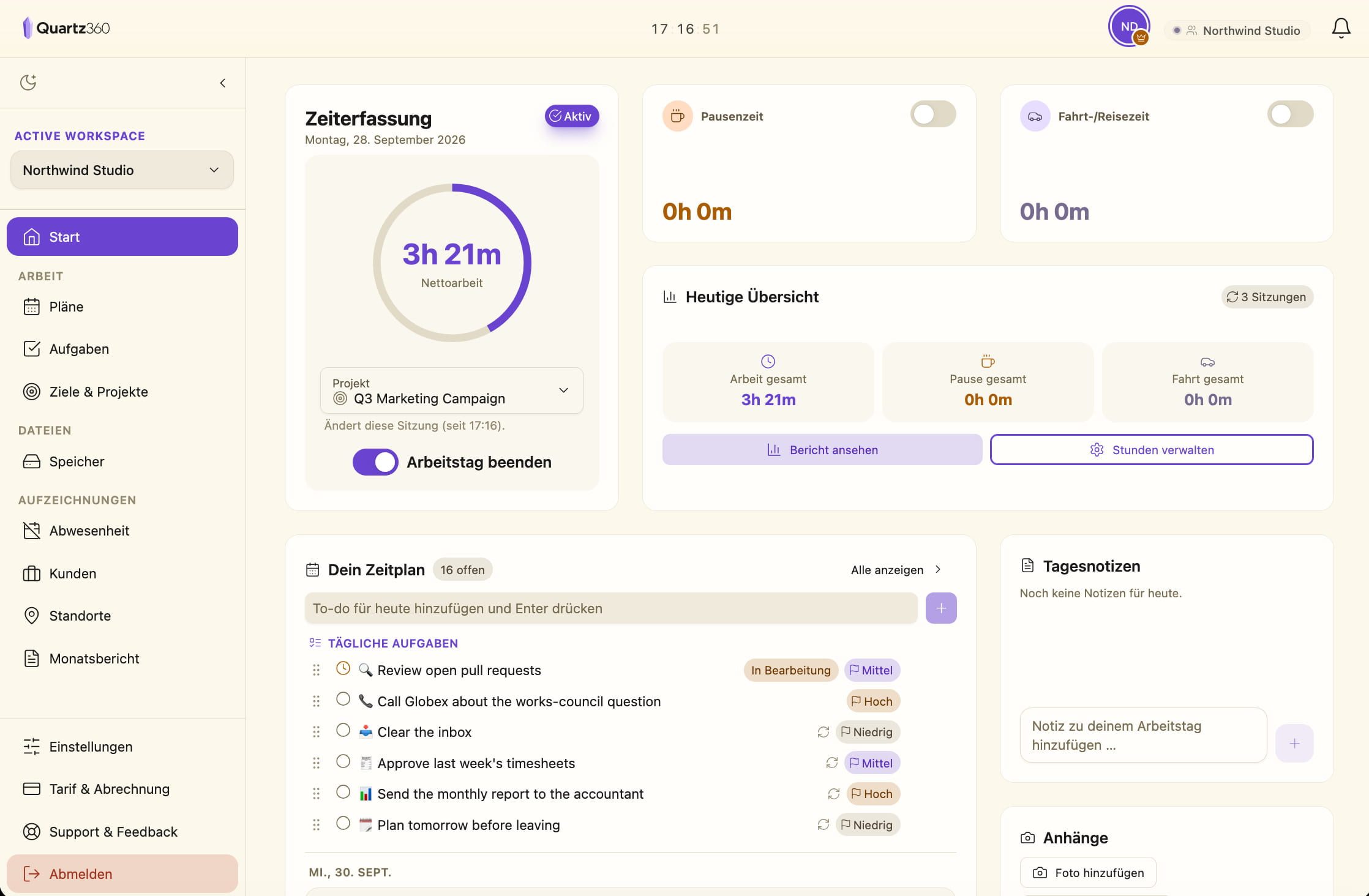
A clock instead of timesheets, approvals instead of chat messages, a monthly report instead of a spreadsheet. Time tracking, tasks, files and time off in one tool instead of five.
- Time tracking
- Tasks
- Upload files & photos
- Storage & share links
- Notes & documents
- Spreadsheets
- Absence management
- Customers & locations
- Work scheduling
Business free for 14 days · No credit card · Ends by itself
-
Hosted in Germany
Hetzner · Falkenstein
-
Your data, exportable
or deleted, by you
-
Web, iOS & Android
one account
-
Five languages
DE · EN · FR · IT · ES
The problem
Most timesheets are written after the fact.
01
Written from memory
The week gets reconstructed on Friday afternoon. The hours come out round, the breaks are a guess, and nobody can say what Tuesday actually went to.
02
Spread across three places
Hours in a spreadsheet, holidays in a chat message, travel on a note in the van. Nothing reconciles, so someone reconciles it by hand.
03
Found out too late
By the time payroll or a client asks, the day is weeks gone. You either sign off on the estimate or lose an afternoon rebuilding it.
Before and after
From paper and spreadsheets to one record.
Quartz360 records the day while it is still happening — and keeps the record in the same place as the projects, people and files it belongs to.
Required in Germany since 2022
Germany’s Federal Labour Court ruled in 2022 that employers must record their employees’ working time (1 ABR 22/21). Quartz360 keeps start, end and breaks per person and day. Whether that meets your particular obligations is a question for your advisor — we do not give legal advice.
| What | Paper & Excel | Quartz360 |
|---|---|---|
| Working time | Filled in on Friday, from memory | Recorded as people clock in and out |
| Breaks & travel | Estimated, or forgotten | Timed on their own, inside the session |
| Time-off requests | By chat, on paper, in passing | Request and approval in one place |
| Month end | Retyping lists and merging them | One report, as Excel or CSV |
| Photos & receipts | On a phone, in an inbox, in the van | Filed on the work day or in the project |
The product
Everything the day produces, in one record.
Hours, projects, people, absences and files sit in the same workspace — which is the only reason the month ever adds up without someone assembling it.
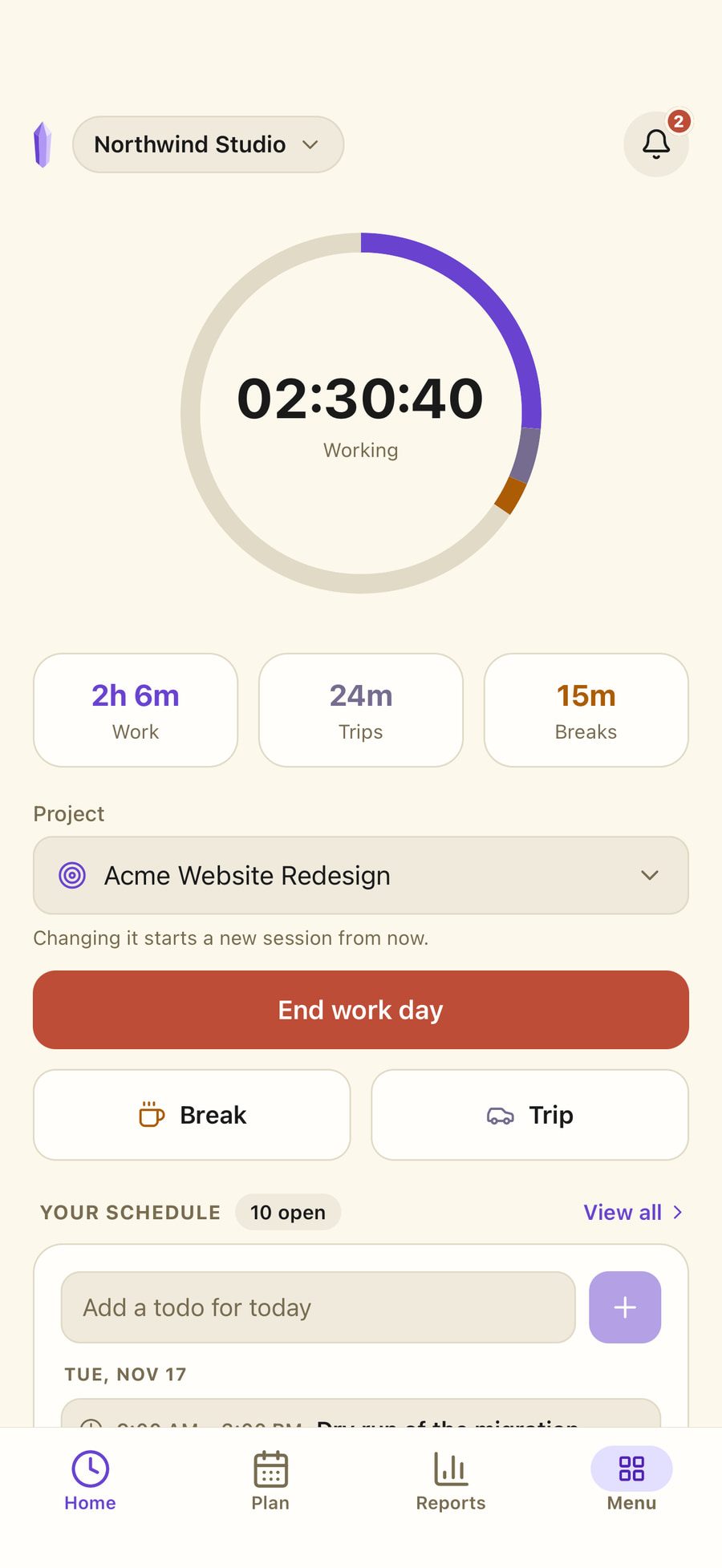
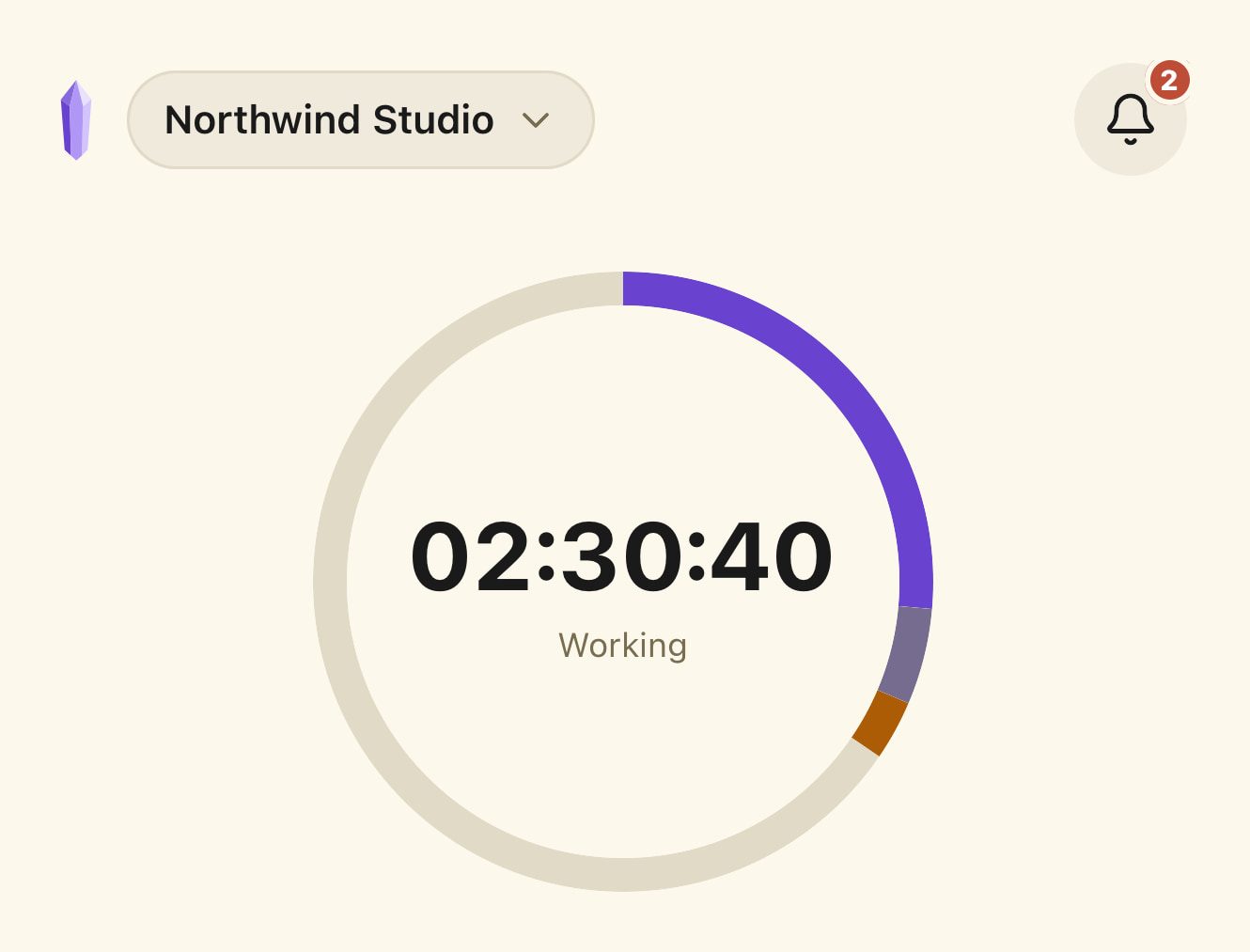
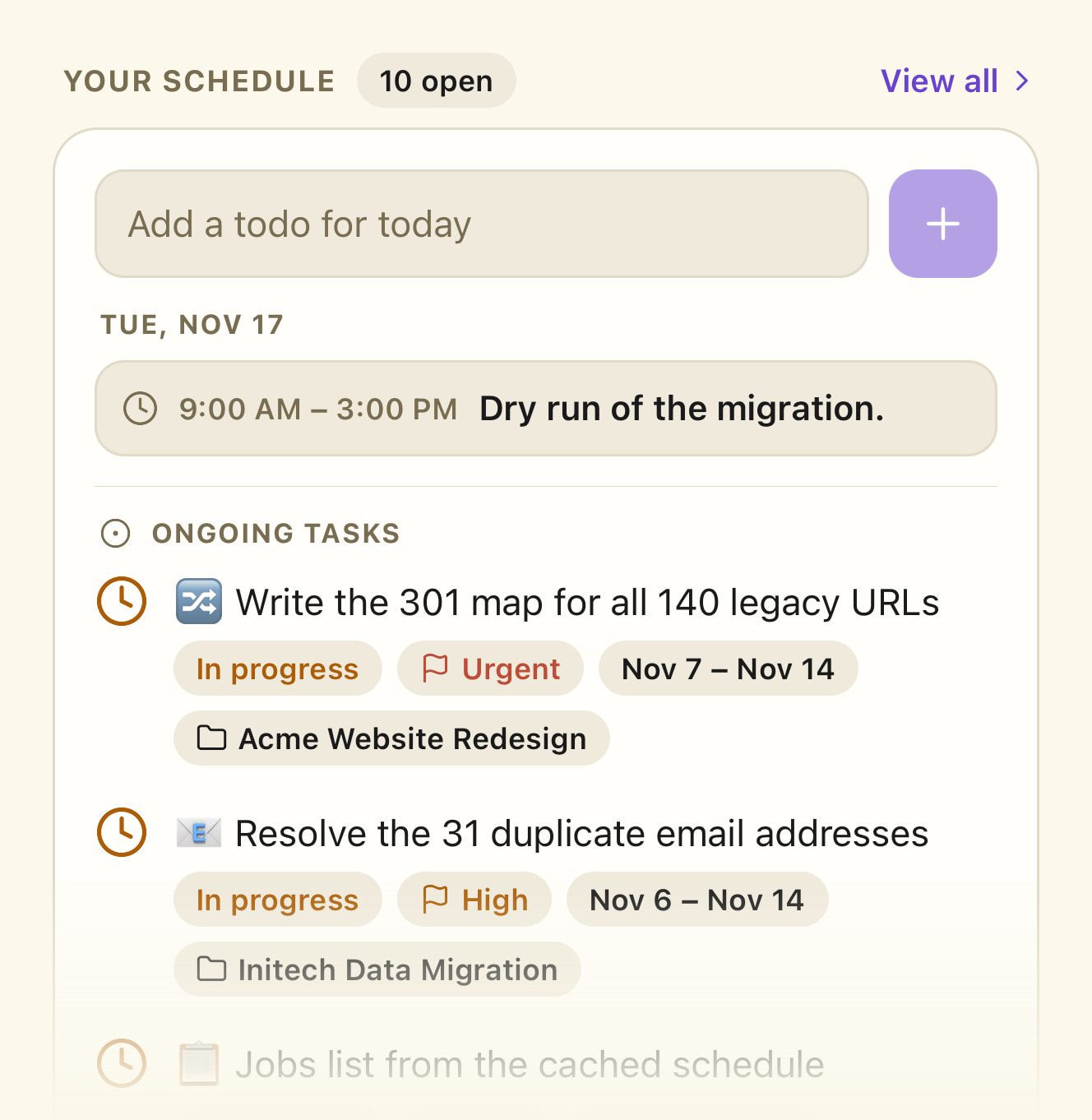
One button, and the day records itself.
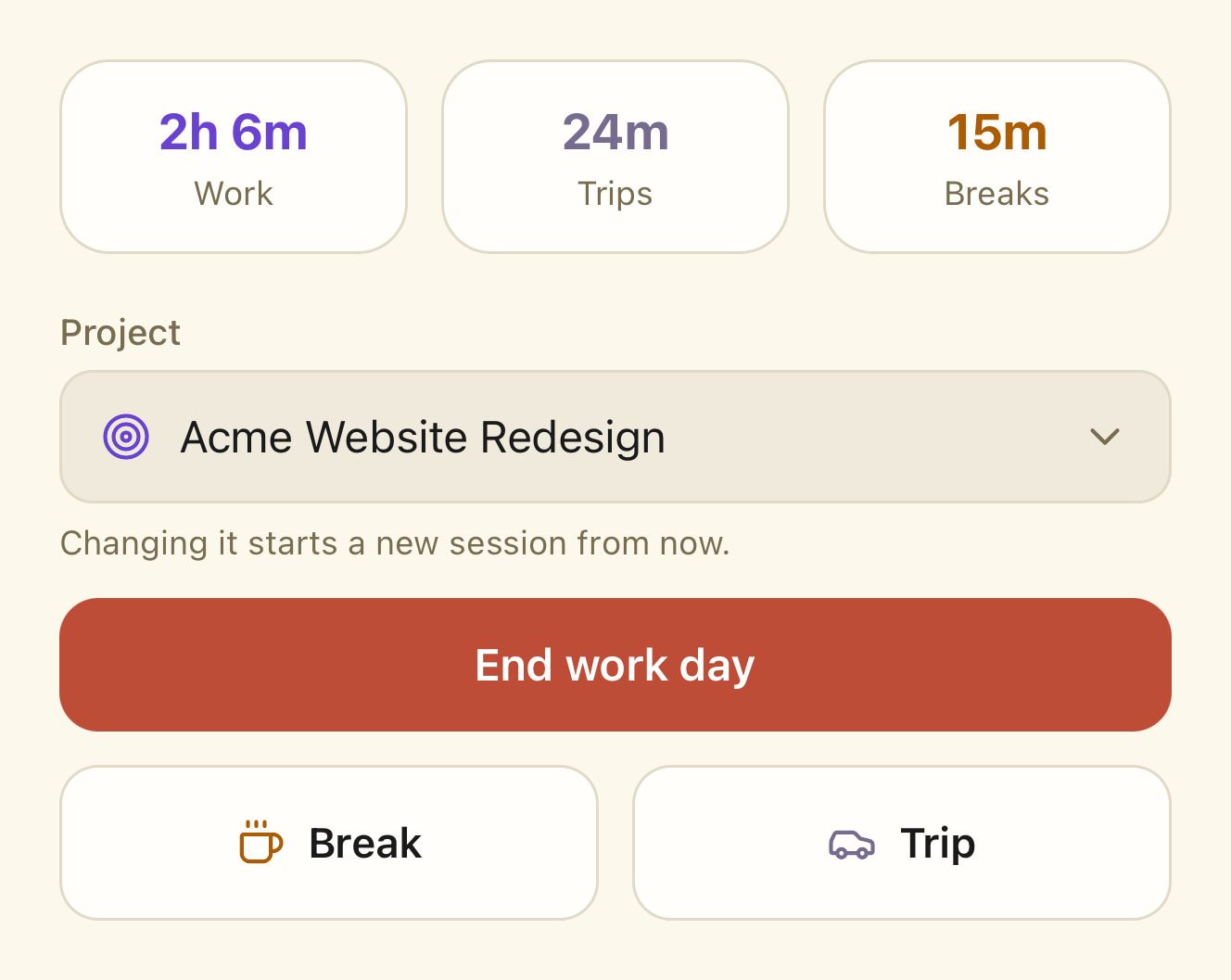
Clock in when the shift starts. Breaks and travel are recorded inside the session, so working time and paid time never get confused, and the entry can be tagged to the customer and the site it belongs to.
Breaks and travel, inside the session. Start a break or a trip without ending the shift. Each is timed on its own and subtracted where it should be.
A timer that cannot drift. The count is rebuilt from the server every time you look at it. Refresh the tab, shut the laptop, pick it up on your phone — the number is still right.
Forgotten clock-outs are handled. The day is closed automatically at midnight and flagged in the report, and you correct it afterwards in a single edit.
Customers and sites. Attach a client and a location to a session, so hours can be read back by job and not only by person.
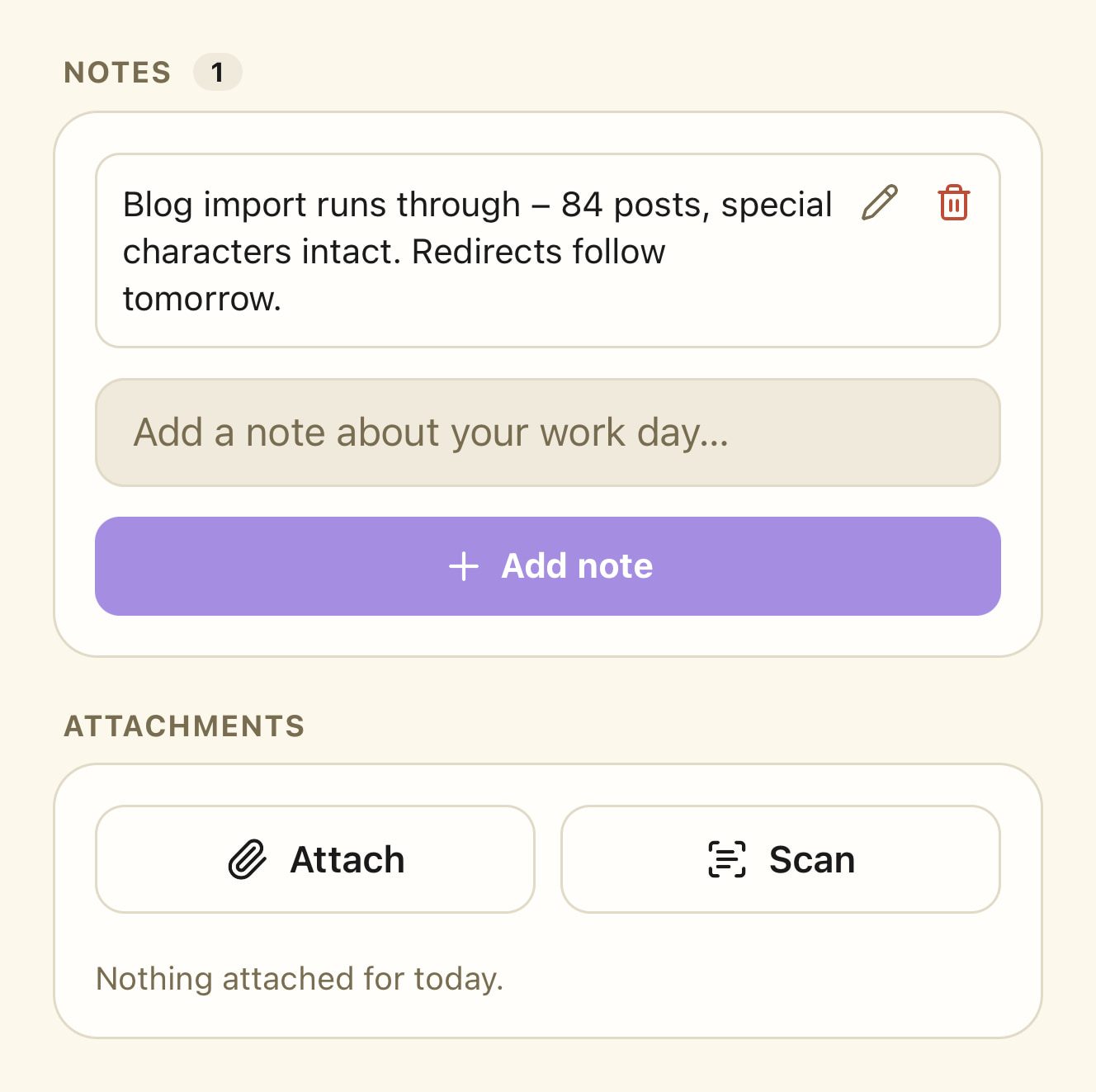
Notes and photos on the day. Put a note or a photo — a delivery slip, the state of a site — on the work day itself, where it stays findable.
The month is finished on the last day of it.
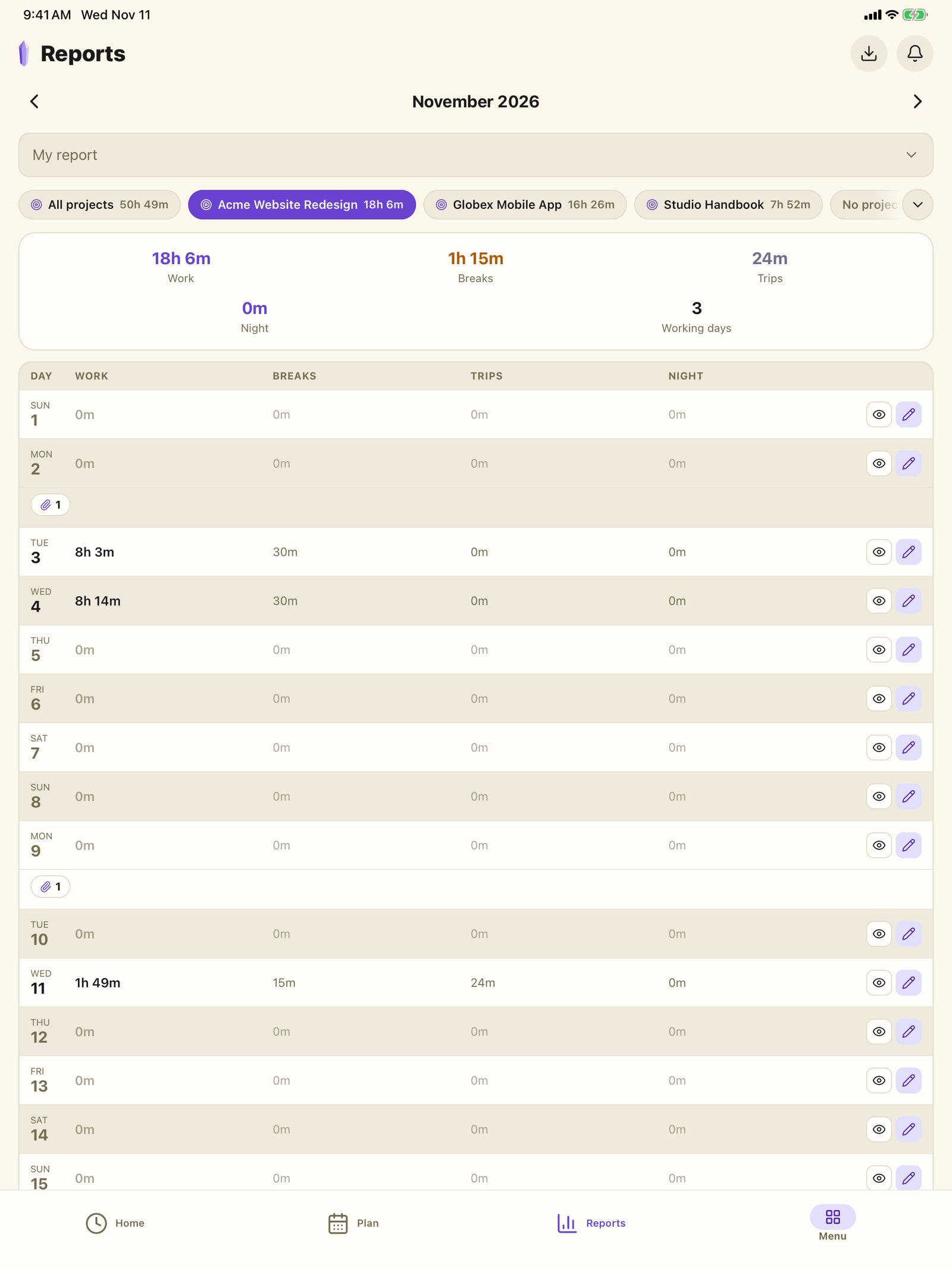
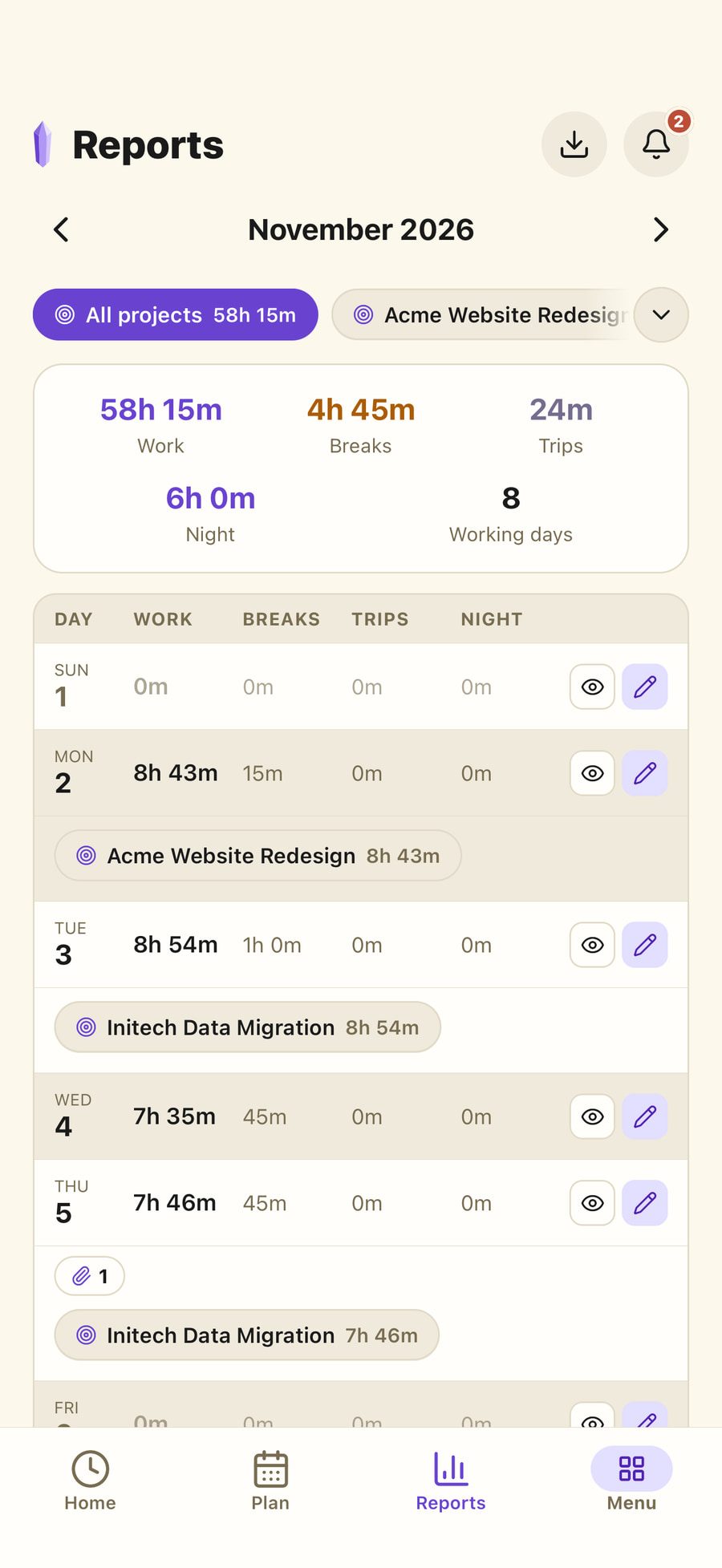
Every session rolls up into a per-day record — worked, on break, travelling, total. Open any day to see the sessions behind the number, then take the month out in the format the other side asked for.
Totals you can defend
Work, break, trip and net time for each day of the month, with the underlying sessions one click away.
Excel or CSV
Export the month as .xlsx or .csv and hand it to payroll, an accountant or the client who is paying for it.
Filed, not just downloaded
Save the same workbook straight into the workspace storage, so last March is still where you left it next March.
The team, not just you
Managers open any member’s month in the same view, with the same totals and the same export.
The work itself, beside the hours it took.
A project holds its tasks, its documents and its files. The time record is not stranded in a different tool from the thing the time was spent on.
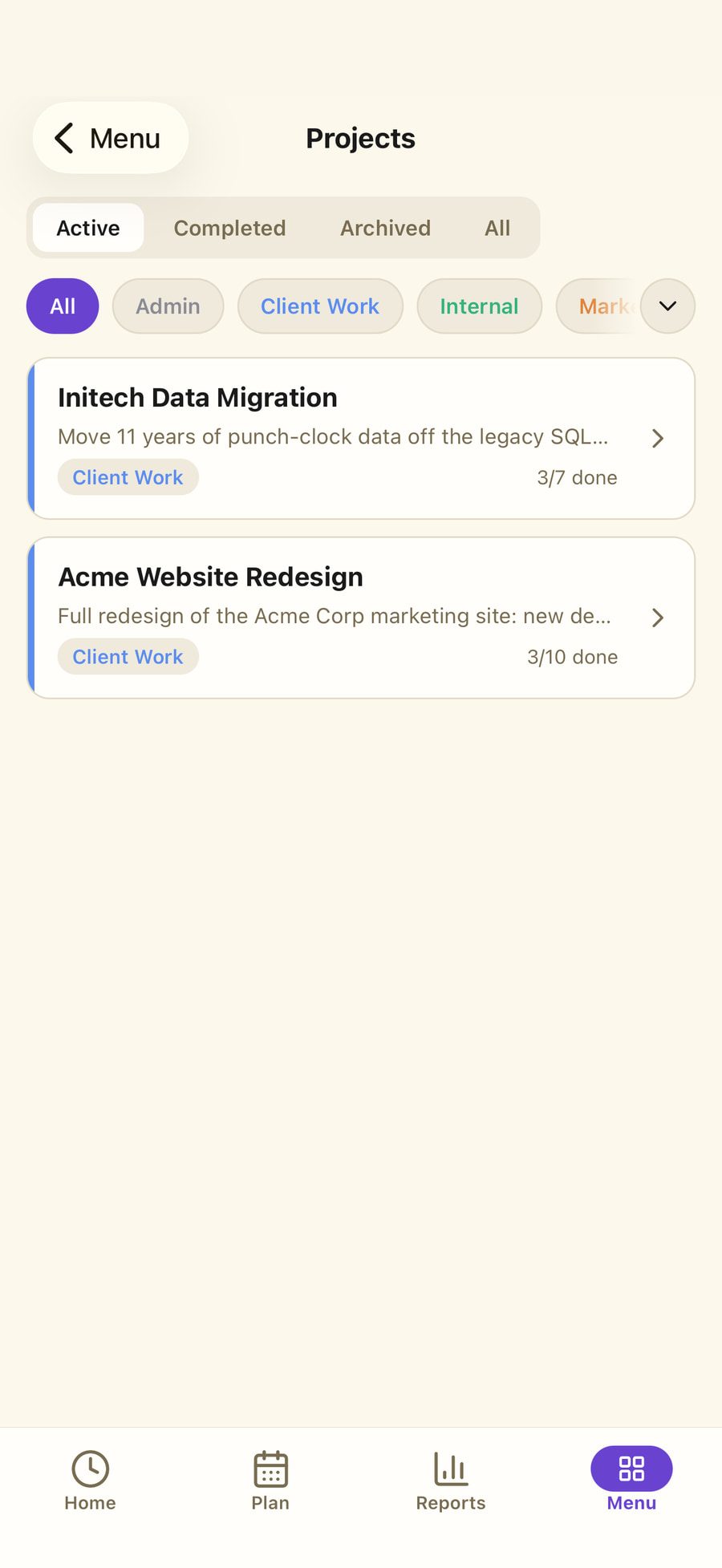
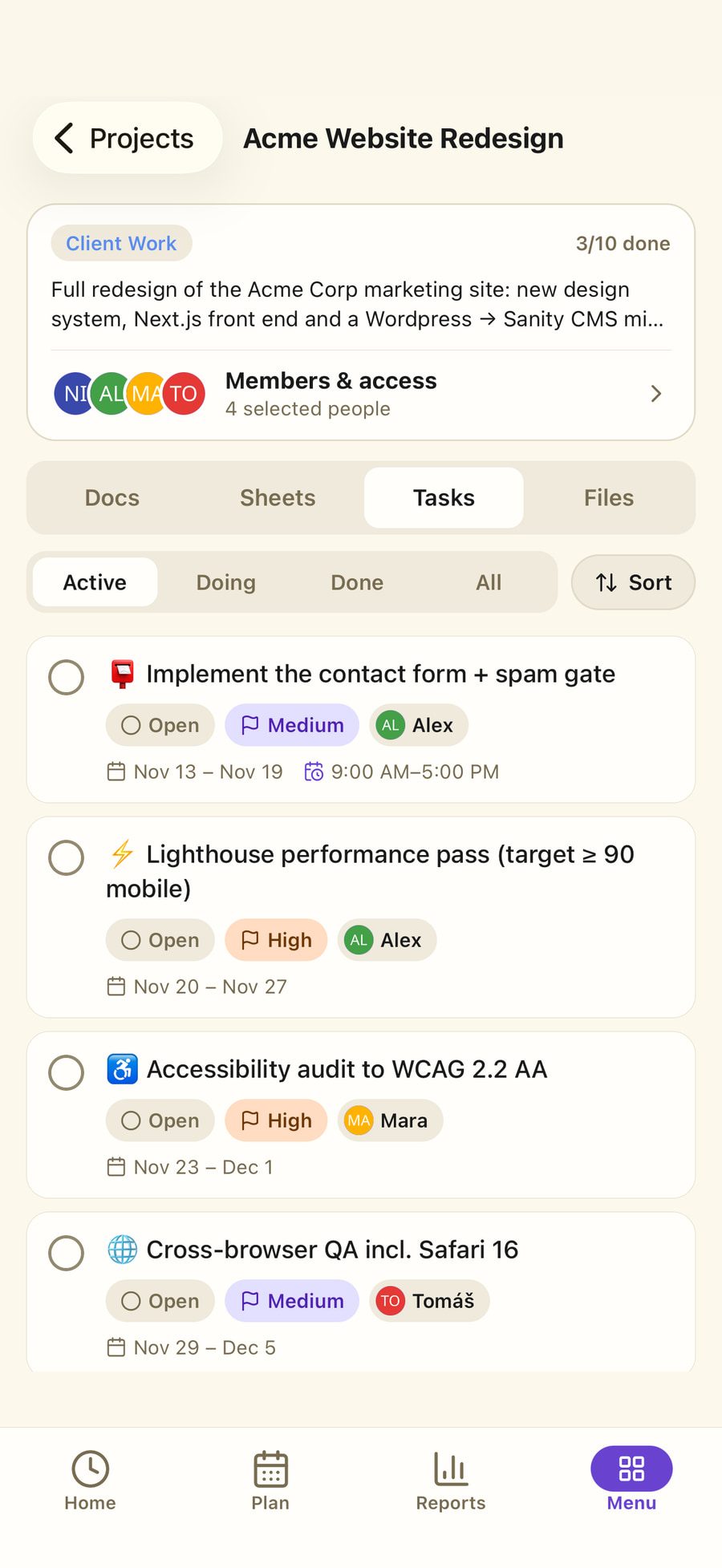
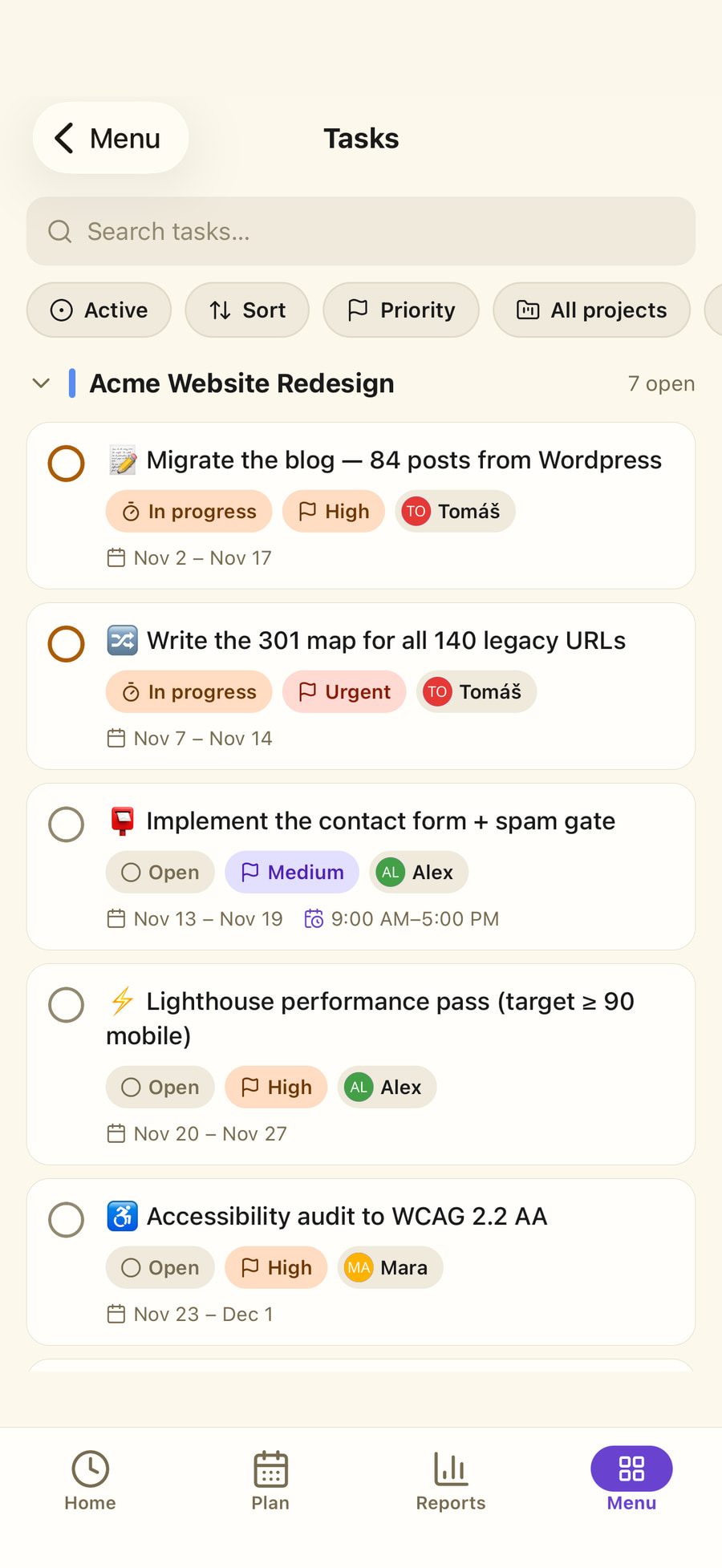
Tasks with the fields you actually use. Priority, status, due date, assignee and drag-to-reorder — as a list, or on a board when you would rather see the columns.
Documents inside the project. Write specifications, handovers and meeting notes in the app, and share one by link with someone who has no account.
Spreadsheets in the browser. Real .xlsx files, opened and edited in place. No download, edit, re-upload, hope-it-is-the-latest-one.
Labels and pins. One shared set of labels across documents, sheets and files, and a pin that floats the ones you open daily to the top.
Categories and customers. Group projects the way the business is organised, and tie them to the client they are billed to.
Tasks
A list or a board — the same tasks.
Priority, due date, repeats and the person responsible, grouped by project if you like. When the work moves on, drag the card into the next column.
One account. Every team you work in.
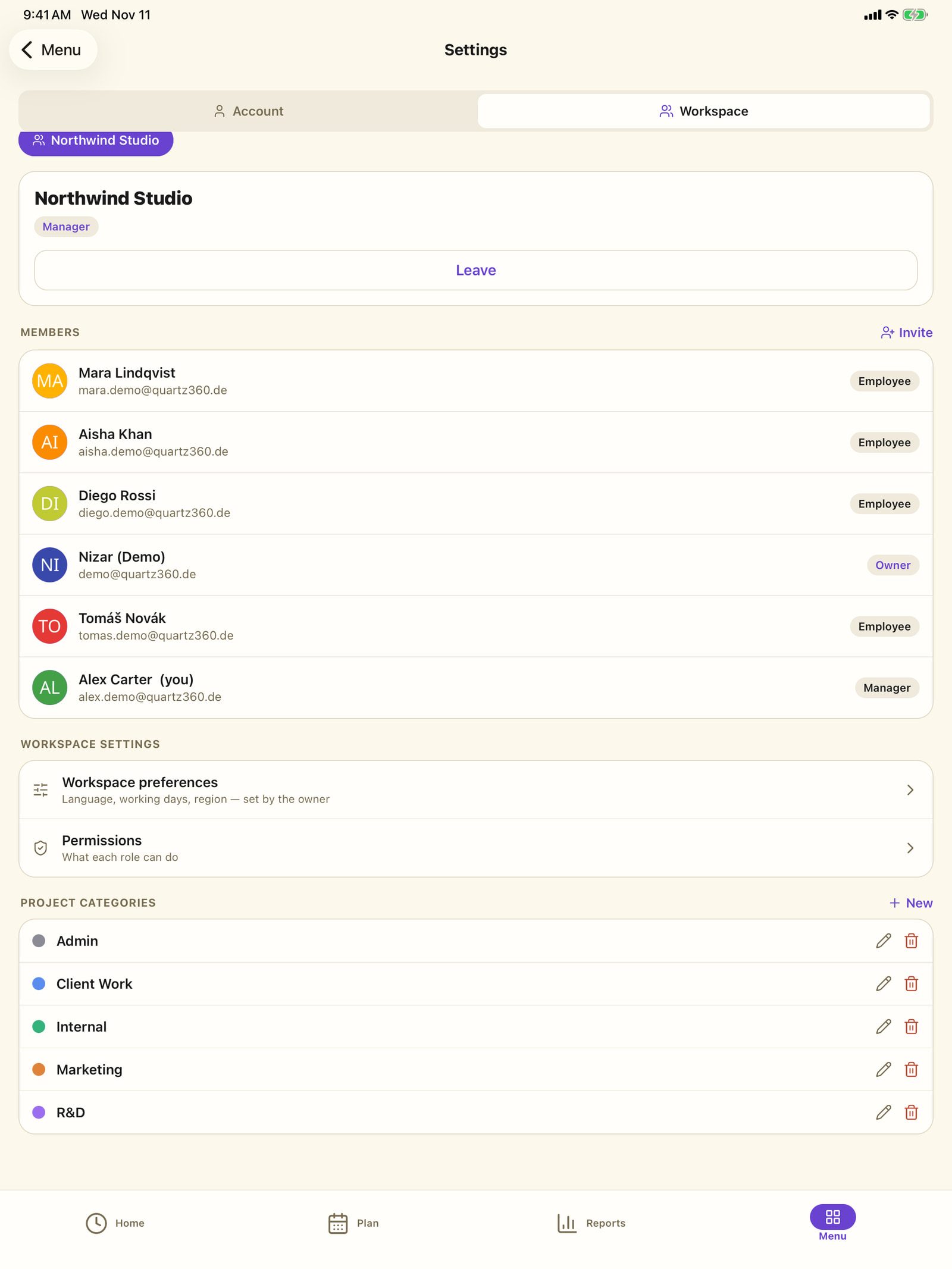
A person can own one workspace and be an employee in two others. Switching between them switches everything — hours, projects, files, permissions — so nothing from one turns up in another.
Three roles, and room to disagree with them
Owner, manager and employee come with sensible defaults; individual permissions can be overridden per workspace.
Invitations by email
Invite by address, set the role before they arrive, revoke it while it is still pending.
Approvals where they belong
Managers approve absences and read the team’s hours. Employees see their own, and the projects they were given.
Whoever created the workspace stays protected
Removing or demoting that person needs their own confirmation by email — even when another owner asks for it.
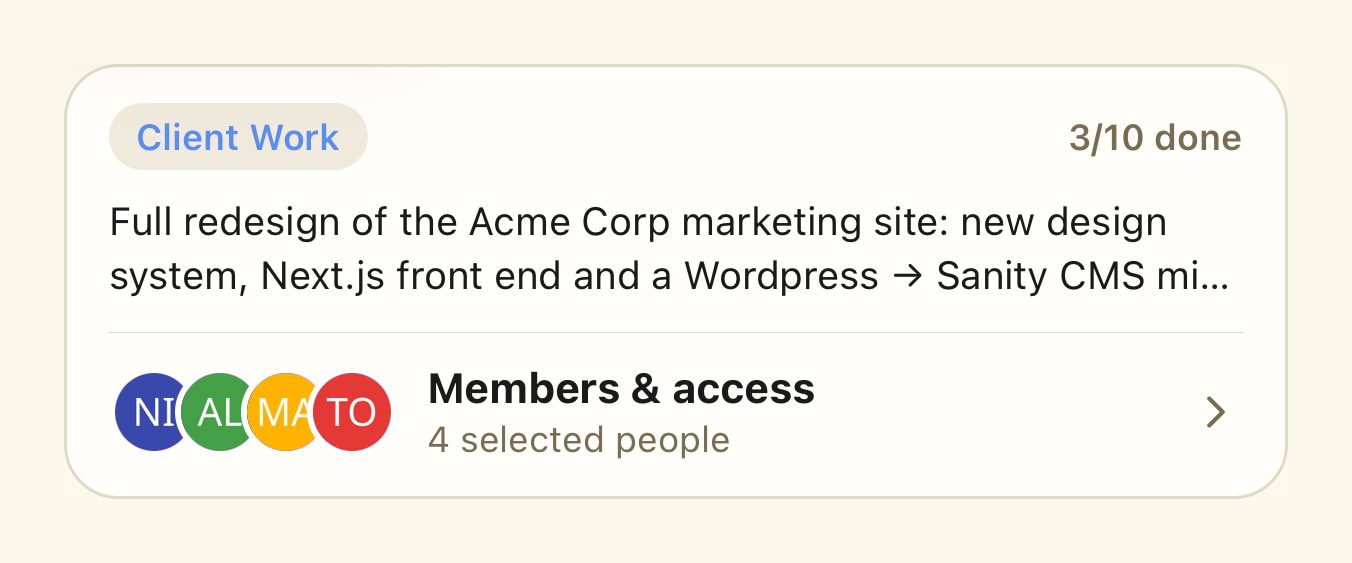
Projects for selected people
Limit a project to the people who work on it. Owners and managers always have access, and whoever can open the project can open its folder in storage too.
Time off, requested and approved in one place.
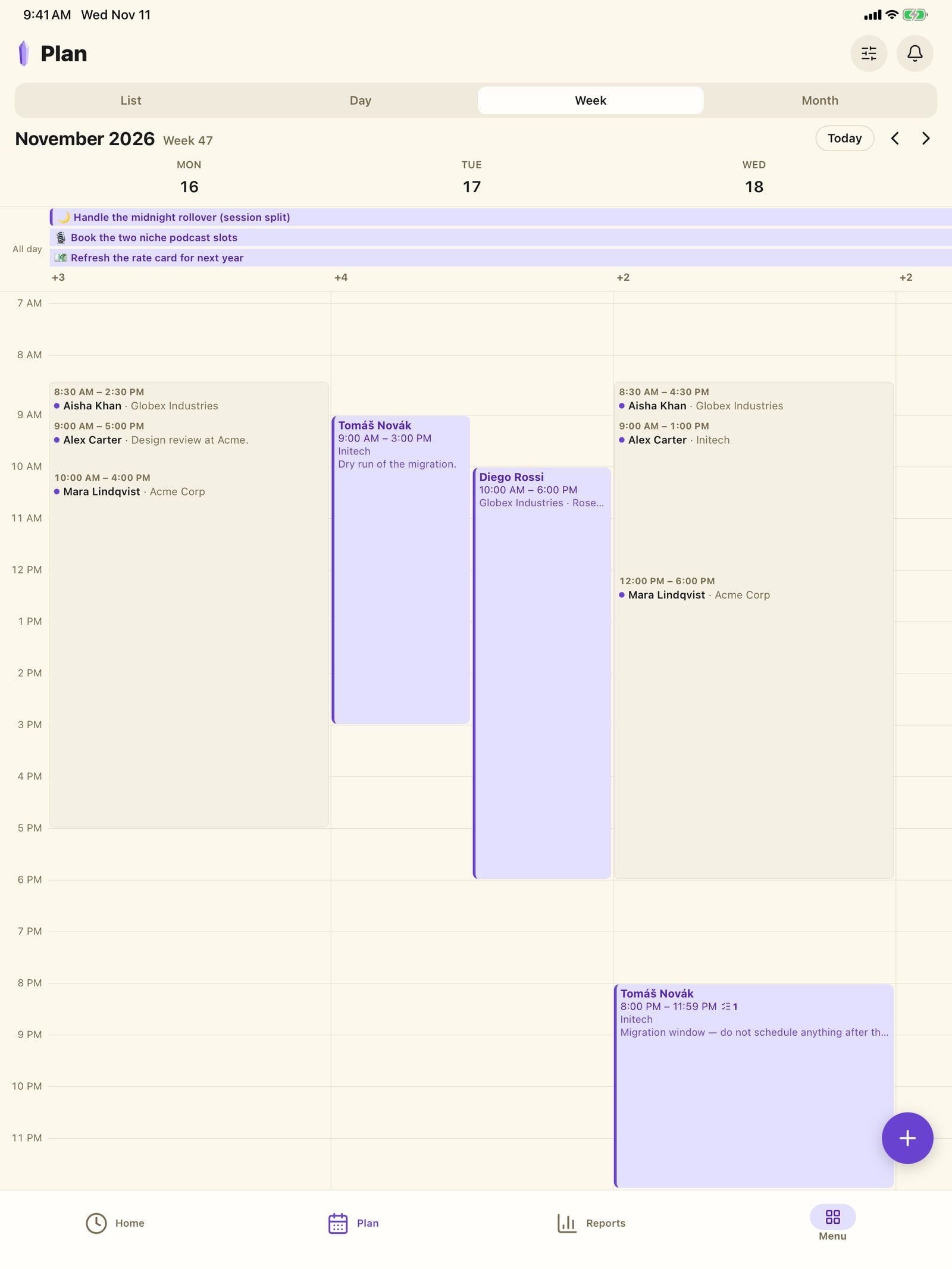
Requests stop arriving by chat and in passing. Leave is requested in the app, a manager decides with one click, and the schedule shows who is working when and where.
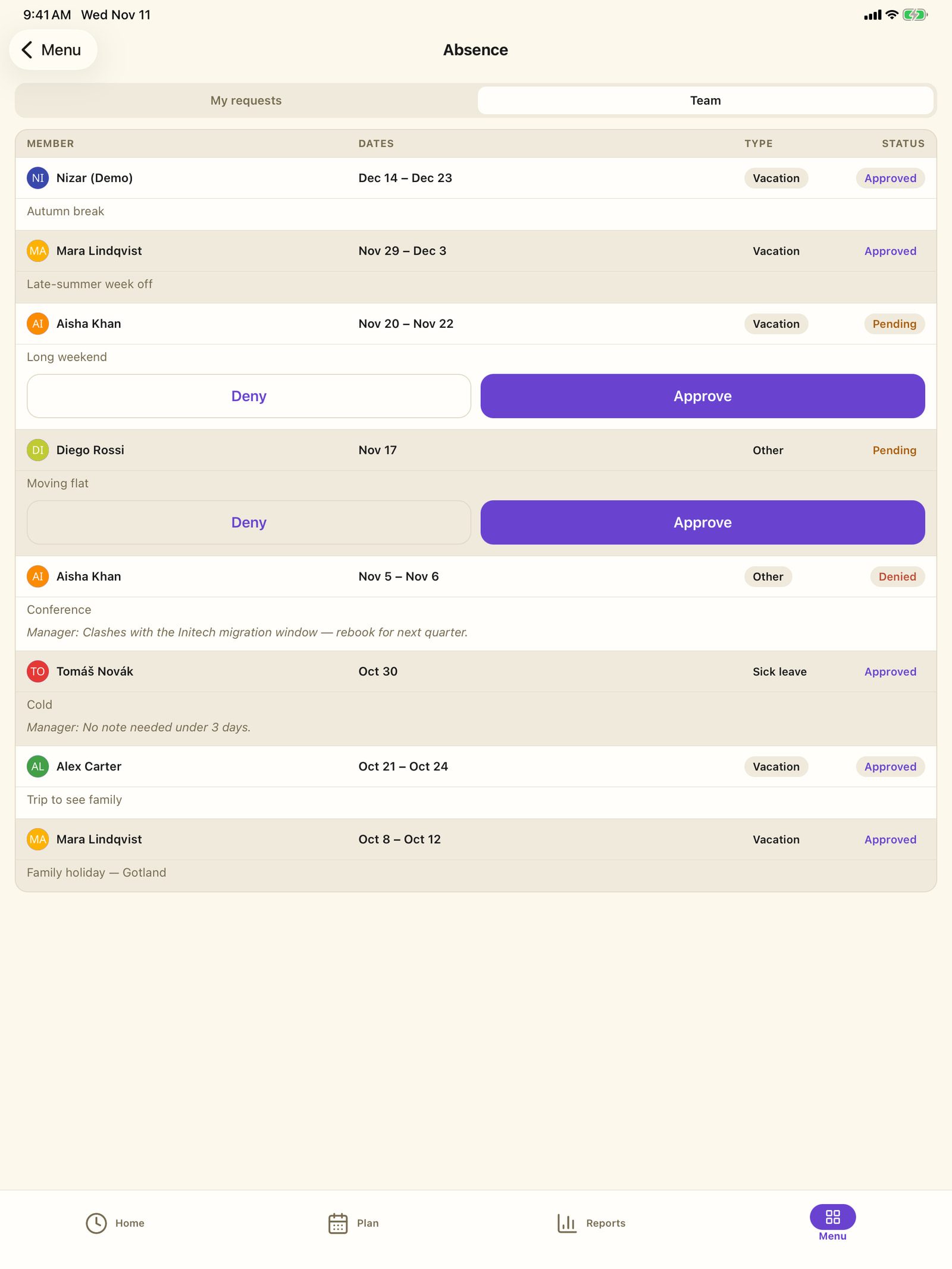
Vacation and sick leave
With a note — and an attachment when a certificate is needed.
Approve or decline
One click. The request, the decision and the dates stay together.
Shifts on a calendar
Recurring shifts per person, customer and site — by day, week or month, or as a list.
Files, visible to exactly the people who should see them.
Folders, files and photos sit in the same workspace as the work — uploaded at a desk, or scanned with a phone wherever the paper is.
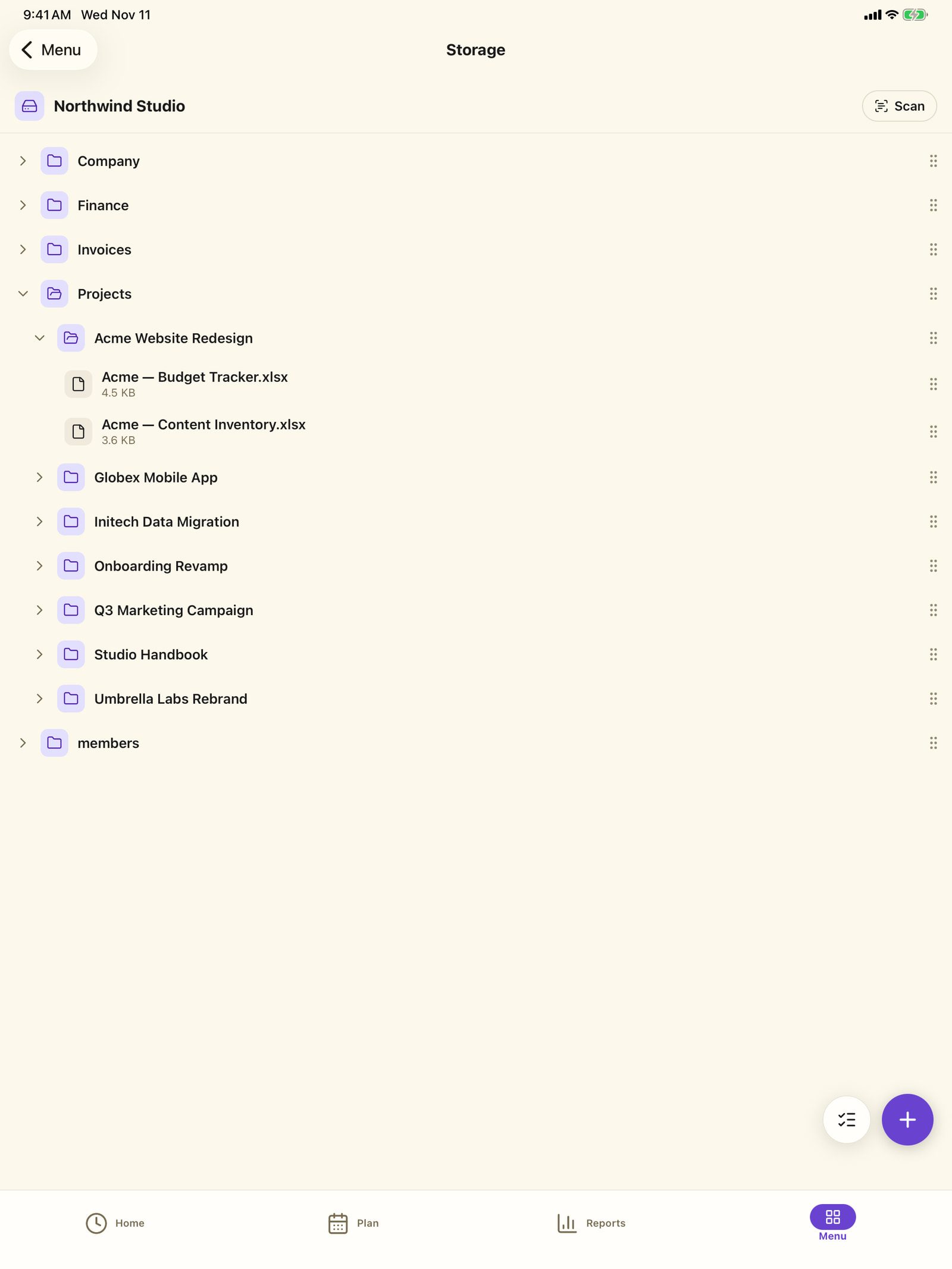
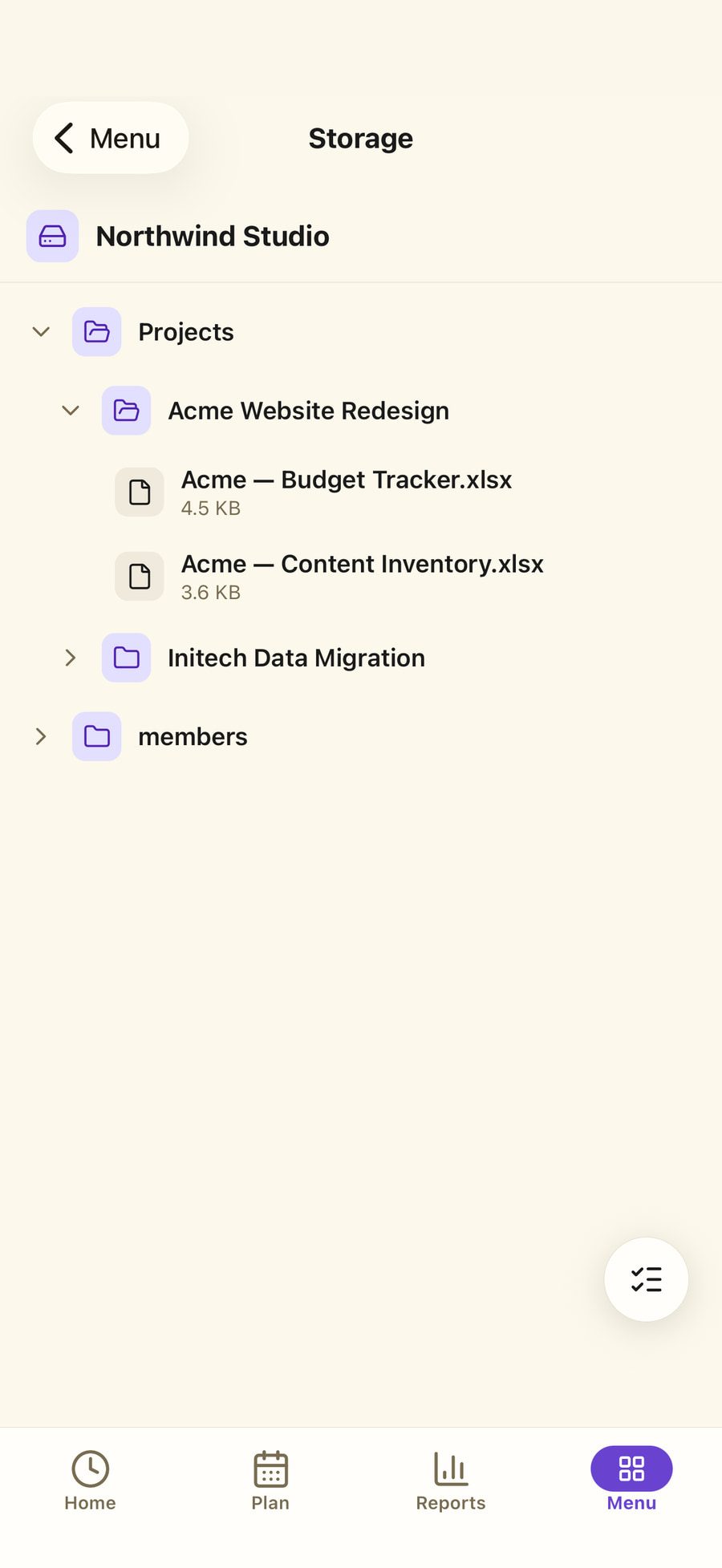
Access per folder
Employees see only the folders they were given. Contracts and payroll stay closed by default.
Share by link
Send a file to someone outside the company without giving them an account.
Scan instead of retyping
Photograph a delivery note or a receipt with the phone and file it where it belongs.
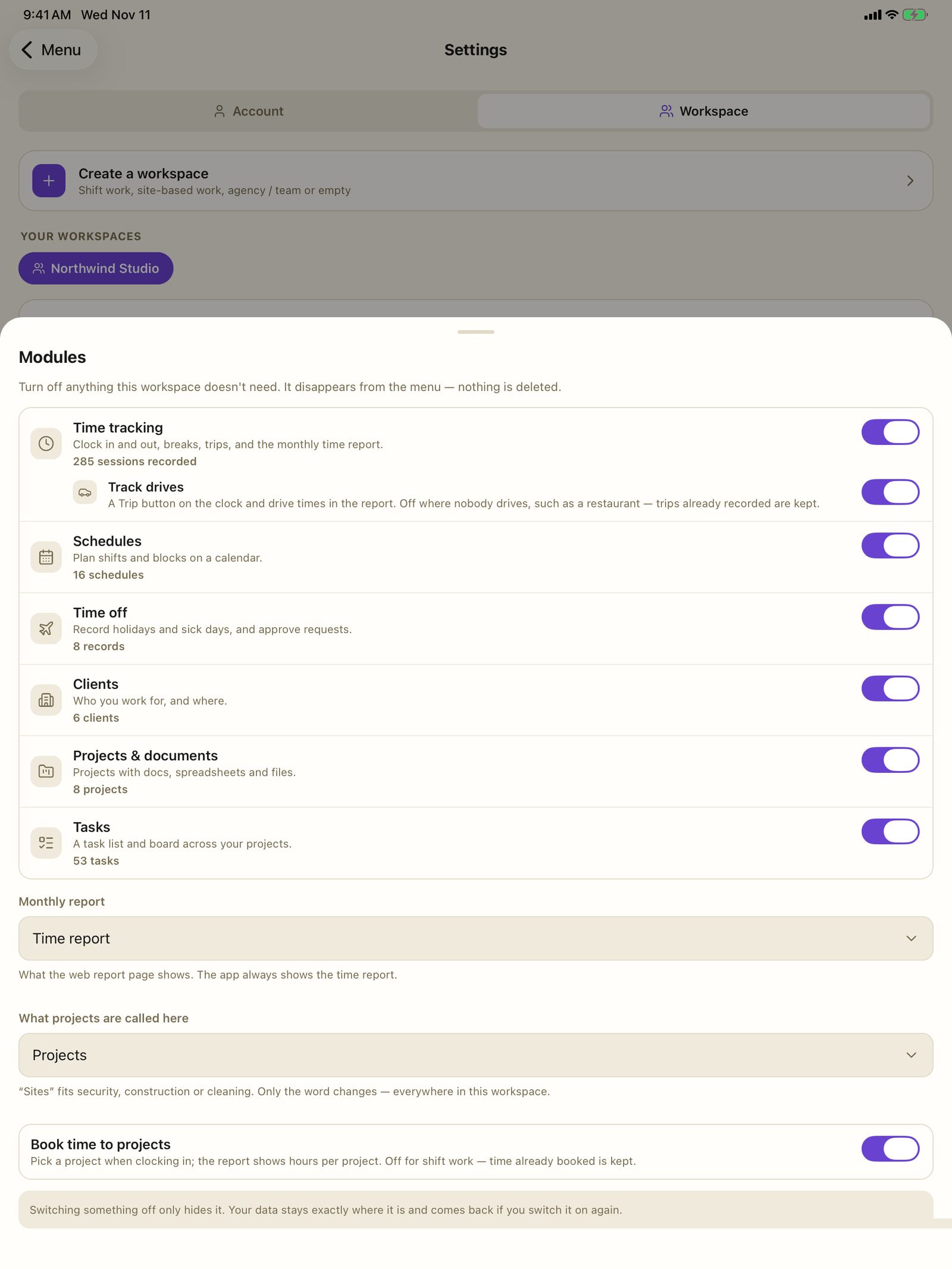
Modules
Too much at once? Switch off what you do not use.
Each workspace shows only the parts you have switched on — time tracking, schedules, absences, customers, projects and tasks. Switching one off only hides it: the data stays where it is, and is back the moment you switch it on again.
- Set for each workspace separately.
- Switched off means hidden — never deleted.
- The price stays the same: per person, not per module.
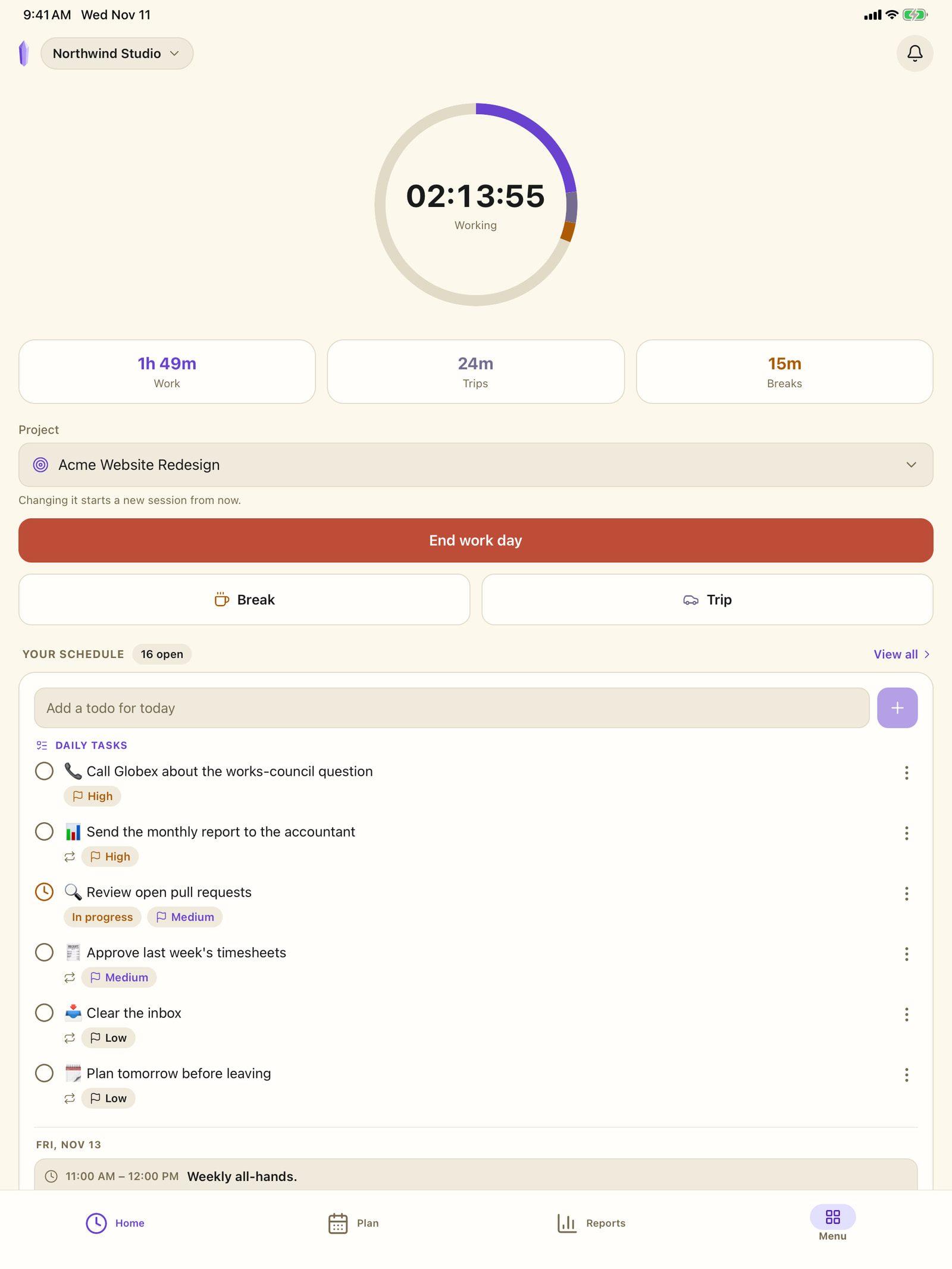
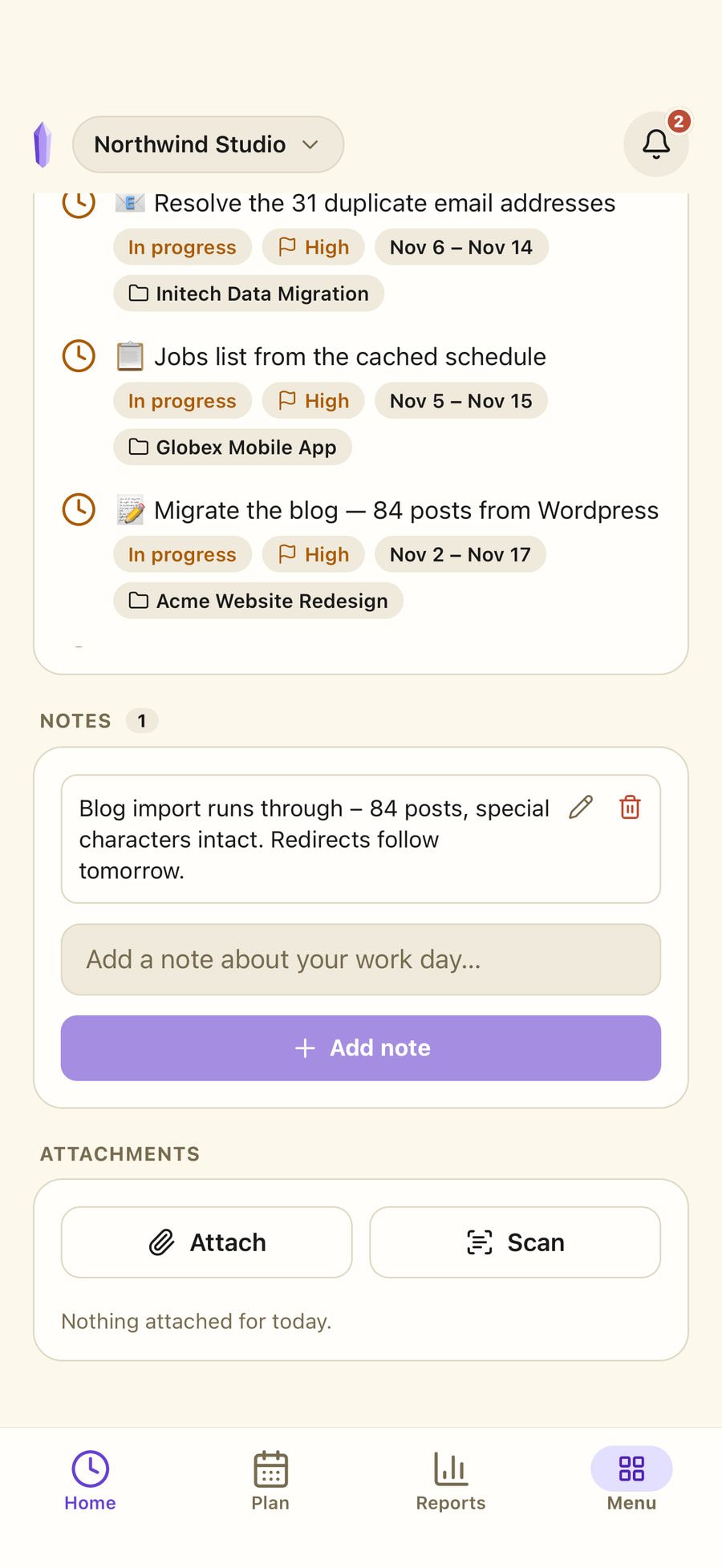
On every screen
The same workspace, from the site or from the office.
The phone app is not a read-only companion. It is the same account, the same workspace and the same clock — for the people whose work does not happen at a desk. Clock in on site, finish the report at the office, and it is one record either way.
Five languages
German, English, French, Italian and Spanish. Dates, times and numbers follow the person, not the company — so a Spanish colleague in a German workspace reads both correctly.
Themes people can live in
Three light-and-dark theme pairs plus one you set yourself. Small thing, except this is the screen someone looks at for eight hours.
Notifications where the work is
Invitations, absence decisions and workspace changes arrive in the app — and by email if you want.
Privacy & security
GDPR compliant — and here is what that means.
Time and attendance data is employee data. These are the specific things Quartz360 does about it.
GDPR compliant
Hosted and processed in Germany. No optional cookies without consent.
Servers in Germany
Database, file storage and backups run at Hetzner in Falkenstein, Saxony, encrypted at rest. Nothing is shipped to a third country for hosting.
Files are private by default
Stored files are never publicly readable. Every view and download runs through a link that expires within the hour, generated for that one request.
Employees see what they were given
Access is granted folder by folder. A contract or a payroll file stays closed until someone deliberately opens it to a person.
Statistics without cookies
Visitor statistics are self-hosted, set no cookies and never leave our own server. Optional cookies are only set with your consent.
Take everything with you, or delete it
Export a complete copy of your data, or delete the account yourself from inside the app — no support ticket, and nothing held back to make leaving harder.
A record you can hand over
Start, end and breaks are stored per person per day and exportable at any time. Whether that satisfies your particular obligations is a question for your advisor — we do not give legal advice.
All of it in writing: which services are involved, where they sit and on what legal basis — the privacy policy names every one. Read the privacy policy →
Getting started
Set up in three steps.
The first takes about two minutes. The rest happens while you work.
- 1
Create an account
With an email address and no card. Every new team starts with 14 days of Business.
- 2
Invite the team
By email, with the role each person should have. An invitation can be withdrawn while it is pending.
- 3
Clock in
In the browser or on the phone. The first monthly report builds itself from there.
Pricing
Try it free. Pay per person, with no cap.
Every plan has the whole product in it. Every new team gets Business for 14 days, with everyone and no card — then you pick Team or Business, billed per person, for any number of people and workspaces.
Team
For teams working together — any number of people and workspaces.
= €50 / year for 1 person
Start free trial- People
- Any number
- Storage
- 10 GB per person
- Invite your team and assign roles
- Any number of workspaces
- Schedules and leave approvals
- Files with access per person
- Email notifications
Business
For companies that want Quartz360 adapted to how they work.
= €90 / year for 1 person
Start free trial- People
- Any number
- Storage
- 25 GB per person
- Everything in Team
- More storage: 25 GB per person
- Adapted to your company: features and per-workspace permissions, set up by us
- Priority support
Custom
For larger organisations with their own IT, legal and works-council requirements.
Licence or subscription, tailored to you.
Get in touch- People
- Any number
- Storage
- 100 GB per person
- Your own server or private cloud
- Licence instead of a per-person subscription
- Integrations: DATEV, payroll, ERP, API
- Single sign-on (SAML, Microsoft Entra ID)
- Set up together with your works council
- Individual DPA, SLA and data migration
- Purchase order and payment by invoice
Also on request
- AI assistant for your projects and documents
- E-invoicing (ZUGFeRD / EN 16931)
Add-ons on request
for Team, Business and Custom
- GPS location at clock-in
- Clock-in by QR code on site
One subscription for everything you own. People and storage count across every workspace you created.
Only the owner pays. People you invite need no plan of their own — they take a seat in yours.
After the 14 days, nothing is deleted. Without a plan your workspaces turn read-only — everything stays visible and exportable.
Prices exclude VAT. Cancel any time, effective at the end of the billing period.
The day is closed automatically at midnight and flagged in the report as ended automatically, so it gets noticed. The entry stays editable, and the month recalculates itself from the correction.
Yes, and it is a normal case rather than an edge one. A single account can own a workspace and be a member of others. Switching workspace switches everything with it — hours, projects, files and permissions — so nothing from one company appears in another.
Yes. Each workspace has a list of modules — time tracking, schedules, absences, customers, projects and tasks — and each one can be switched off. It disappears from the menu; the data stays where it is and comes back when you switch the module on again. The price does not change.
Not by default. An employee sees their own hours and the projects they were added to. Files are granted folder by folder, so contracts and payroll stay closed until someone deliberately opens them. Managers see the team’s hours and handle absence approvals; the owner sees everything and holds billing.
In the EU. The database and the file storage are both hosted in Germany, with encryption at rest at the provider. Files are stored privately and are only reachable through links that are generated per request and expire within the hour.
Yes. Everything runs on servers in Germany (Hetzner, Falkenstein), business customers get a data processing agreement under Art. 28 GDPR, and this site sets no optional cookies without your consent. Which services are involved, where they sit and on what legal basis is set out in full in the privacy policy.
Yes, for iOS and Android. It is the same account, the same workspaces and the same timer — built for clocking in away from a desk, while the longer work like month-end reporting is easier on the web.
Both, yourself, from inside the app. The export gives you a complete copy of your data. Deletion removes the account, its personal workspace and the files stored with it — no support ticket and no waiting on a reply.
In Germany, the Federal Labour Court ruled in 2022 that employers must record working time (1 ABR 22/21). Quartz360 keeps a per-person, per-day record of start, end and breaks, and lets you export it at any time in a readable format. Whether that meets the obligations that apply to your business, your industry and your jurisdiction is a question for your legal advisor — we do not give legal advice.
The trial ends by itself — no card was ever needed, so nothing is charged. We remind you by email beforehand. Without a plan your workspaces become read-only: everything stays visible and exportable, nothing is deleted, and choosing a plan unlocks them right away.
Team costs €5 and Business €9 per person per month — or €4.17 and €7.50 when billed yearly, which is two months free. There is no cap on people or workspaces. Prices exclude VAT. Larger organisations get a Custom offer, which can include the AI assistant and e-invoicing.
Yes, on request. By default the customer and the site are picked from your own list when clocking in. GPS location at clock-in and clock-in by QR code on site are add-ons that can be booked with Team, Business and Custom.
Yes: the month exports as an Excel or CSV file, with daily totals per person and the hours per project. A direct interface to DATEV or a payroll system is set up on the Custom plan, on request.
No. A plan can be cancelled at the end of the billing period — every month, if you pay monthly. Nothing is deleted afterwards: your workspaces become read-only and can still be exported.
The next month is going to happen either way.
You can record it while it happens, or rebuild it from memory in March. Setting up a workspace takes about two minutes, and the 14-day trial does not ask for a card.
Business free for 14 days · No credit card · Ends by itself, at no cost